



 |
|
 | |
 | |
 | |
 | |
 | |
 | |
 | |
|



App Bar Icons for Windows Phone 7, 8The largest icon collection for WP7 and WP8!The icons are 48 x 48 pixels, mostly transparent, with the actual image centered to the square of 26x26 pixels. Technically, developers get 1905 unique application bar icons for Windows Phone 7 and 8 Series drawn in required style, each coming in PNG file format. Colored versions are available in white, silver, gray, black, red, green, blue, navy, orange, pink, light-blue, light-green, light-red and yellow colors. Price: $99.00 / 79.00 EUR.  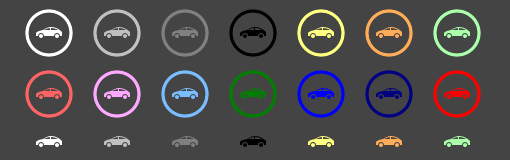




Design Guidelines for Application BarYou can add an application bar to your page both from XAML and code behind. There are some design guidelines for Application bar and a developer must know about these before designing and developing their Windows Phone application.List of App Bar Icons for Windows Phone 72x2 grid, 3d bar chart, 3d design, 3d graph, 3d pie chart, 3d print, 3d printer, 3d printing, 3d structure, 3d text, 3d-axis, 3G, 3x3 grid, 4G, Abacus, ABC, A-bomb, Abort, About, About balloon, Accept, Account, Account card, Account cards, Accounting, Accounts, Add, Add bill, Add folder, Add user, Address book, Admin, Administrator, Adress book, Ads, Adult content, Advertising, Affiliates, Agent, Agriculture, Aim, Air signal, Aircraft, Air-freighter, Airplane, Airport, Airtickets, Aladdin lamp, Alarm, Alarm clock, Alerts, Alien, Alien head, Alien mask, Align - center, Align - justify, Align - left, Align - right, Align center, Align left, Align page center, Align page left, Align page right, Align right, All flights, All reports, Ambulance, Ambulance car, American pool, Anatomy, Anchor, Android, Animal footprint, Anime, Ant, Antivirus protection, Antivirus shield, App window, Apple, Application, Apply, Approved car, Arm, Armchair, Arrow bottom-left, Arrow bottom-right, Arrow top-left, Arrow top-right, Art, ATM, ATM card, Atom symbol, Atomic, Attach, Attribute, Auction, Audio converter, Audit, Auto back, Auto insurance, Auto next, Automation, Award, Awards, Baby head, Back button, Backpack, Backup storage, Backward, Bacteria, Bad, Bad debts, Bad mark, Badminton, Baggage, Baht, Balance, Bald boss, Balloon, Banana, Bank, Bank account, Bank ATM, Bank building, Bank card in, Bank service, Bankrupt, Banner, Banny, Bar chart, Bar graph, Barbell, Barcode, Barcode scanner, Barcode scanning, Barracuda, Barrel, Barrels, Barrier, Base circle, Basket, Basketball, Battery, Battleship, Bear, Beat, Bed, Bee, Beer, Beer bottle, Bell, Beverage, Bicycle, Big bug, Bike, Bike storage, Bikini, Billiard, Binoculars, Bio hazard, Biohazard, Bird, Birthday, Black list, Blank, Blanks, Blend images, Blog, Blog writing, Blogger, Blogging, Blonde head, Blouse, Bluetooth, Bluetooth symbol, Boat, Bold, Bomb, Bones, Book, Book keeping, Book library, Book of record, Book of records, Bookkeeper, Bookkeeping, Bookmark, Bookmark pin, Boot, Boss, Bottle, Bottom, Bow, Box, Boxplot, Boy, Bra, Brain, Bread, Breakfast, Brick, Bridge, Brief case, Brief-bag, Briefcase, Briefs, Brightness, Britain flag, British flag, Broken heart, Broom, Brunette head, Brush, Buddhist temple, Buddy, Bug, Building crash, Buildings, Bulldozer, Burner, Bus, Business, Business center, Business tie, Business trip, Button, Buy, Buyer bag, Cabriolet, Cacti, Calc, Calculation, Calculator, Calendar, Call, Cam, Camcorder, Camel, Camera, Camp, Camp fire, Campane, Cancel, Cancel sign, Candy, Cannabis, Cap, Car, Car battery, Car buyer, Car charging, Car damage, Car driver, Car repair, Car sale contract, Car testing, Caravan, Card file, Card index, Card storage, Card terminal, Cardio signal, Cardiogram, Cargo, Cars, Cartoon, Case, Case history, Cash, Cash desk, Cash income, Cash money, Cash register, Casino, Cassette, Castle, Cat, Cat head, Cat problem, Catalog, Category, Caterpillar bulldozer, Caterpillar tractor, CCTV, Cell, Cell phone, Cell tower, Cementary, Certificate, Certificate seal, Certification, Champignon, Change direction, Chart, Chart xy, Chat, Chat comment, Chats, Check bill, Check boxes, Check options, Check out bag, Check out cart, Check quill, Check spelling, Checkmark, Chemical plant, Chemistry, Cheque, Cherry, Chess, Chicken, Chicken leg, Children, Chinese food, Chip, Christian grave, Christmas bell, Chrome, Church, Cinema, Cinema camcorder, Circular diagram, Cisco, City, Clean, Clear, Clear tag, Client, Client group, Client list, Clients, Clipboard, Clipboard - file, Clipboard data, Clipping, Clock, Close, Close barrier, Close window, Closed book, Closed diary, Closed lock, Clothes, Cloud, Cloud - add, Cloud - delete, Cloud - download, Cloud - refresh, Cloud - sync, Cloud - upload, Cloud computing, Cloud storage, Clubs, Clubs card, Cms, Coat, Cobra, Cock, Cockroach, Coconut palm, Coctail, Code, Coding, Coffee, Coffee cup, Coin, Coins, Collapse, Collie, Color, Color lock, Color palette, Color swap, Comb, Comment, Commercial building, Company, Company buildings, Compare, Compass, Compass needle, Compasses, Component, Computer, Computer access, Computer doctor, Computer network, Computers, Condom, Cone, Conference, Configuration, Confirmation, Connect, Console, Constitution, Constraints, Construction, Construction crane, Construction firm, Constructor, Contact, Contour star, Contrast, Control panel, Conversion of currency, Copy, Copy frame, Copyleft, Copyright, Cosmetics, Couple, Courier, Cow, Cow head, Crab, Crane truck, Crash, Crawler crane, Create, Credit card, Credit cards, Crocodile, Crosshair, Crowdsourcing, Crown, Crutches, Crystal, Crystal ball, Cube, Currency, Currency conversion, Cursor, Cursor arrow, Cursor drag arrow, Cursor H split, Cursor hotspot, Cursor V split, Cursors, Curve points, Customer, Customers, Cut, Cutter, Cuttlefish, Cycle, Danger, Danger sign, Dashboard, Data cube, Data mining, Data transfer, Database, Database access, Datasheet, Date, Date and time, Dating, David star, Day of week, Death, Death button, Decrease, Dekstop computer, Delete, Delete bill, Delete frame, Delete frames, Delete quill, Delivery, Demography, Demolition, Descending graph, Design, Desk, Desk lamp, Desk webcam, Details, Development, Diagram, Diamonds, Diamonds card, Diary, Dice, Digg, Digital camera, Digits, Direction, Directions, Dirty industry, Disabled person, Disconnect, Dish, Disk, Disk- download, Disk upload, Display, Disposable syringe, Divide, DNA, DNA helix, Do not disturb, Doc files, Doctor, Doctor appointment, Doctor head, Doctor info, Document, Document folder, Documents, Dog, Dog head, Doghouse, Dollar, Dollar coin, Dollar symbol, Donate, Donkey, Door, Dot printer, Down, Down button, Download, Download data, Downloads, Downstairs, Draft, Drama, Dress, Driil, Drink toast, Dripping pan, Drive download, Drive upload, Drived car, Drop, Dropbox, Dropper, Drug, Drug basket, Drug blister, Druggist, Drugs, Drugstore, Drum, Duck, Dustbin, DVD, Eagle, Ear, Earnings, Earth, Easel, E-books, Ecology, Edit, Edit image, Edit tasks, Edit text, Egg, Electric, Electric car, Electric charging, Electric charging station, Electric hazard, Electric power, Electricity, Electronic, Electronics, Element, Elephant, Elevator, Email, Emergency, Emergency aid, Emergency exit, Emotion icons, Empty clipboard, Empty dustbin, Enemy agent, Engine, Engineer, Engineer head, Enlarge, Enlarge size, Envelope, Environment, Equal, Equipment, Erase, Eraser, Erotic, Error, Euro, Euro coin, Euro symbol, European flag, Event manager, Evernote, Excavator, Excel, Exception, Exchange, Exclamation, Exclamation sign, Execute, Exit, Exit button, Expand, Expand window, Explosive, Export, Export doc, Express bus, Eye, Facebook, Factory, Family, Farmer, Fast food, Favourites, Fax, Fax machine, Feather, Female, Female screw, Female symbol, Fertility, Figures, File copy, File properties, Files, Fill, Film, Filter, Filters, Finance, Financier, Find, Find car, Find on computer, Find text, Finger, Finger-print, Finger-scanning, Fire, Fire alarm on, Fire damage, Fire torch, Firefox, Firewater, First, First aid, First place, First-aid, Fir-tree, Fish, Fish skeleton, Fishing, Fishing boat, Fitness, Fitness room, Flag, Flag point, Flame, Flash, Flash drive, Flask, Flights, Flip H, Flip V, Flood fill, Floppy, Flow block, Flowchart, Flowers, FM radio, Folder, Folder tree, Font case, Food, Food court, Food symbol, Fool, Football, Footprints, Forbidden, Forex, Fork, Forklift truck, Fork-lift truck, Formula, Forum, Forward, Forward button, Fraction, Frame cube, Frames, Free, Free breakfast, Free BSD, Free internet, Freight car, Freight charges, Freight container, Fruits, FTP, Fuel, Fuji, Full basket, Full dustbin, Full recycle bin, Full recycle can, Full-size refrigerator, Function, Funnel, Future, Gallery, Gambling, Game cards, Gamepad, Games, Gantt chart, Garbage can, Gas, Gas station, Gas stove, Gateway, Gauge, Gazoline can, Gear, Genealogy, Genealogy tree, Genetics, Geolocation, Geometry, Get, Get mail, Ghost, Gift, Girl, Girls, Global, Global position, Globe, Go, Go back, Go down, Go forward, Go up, Gold, Gold bar, Good, Good mark, Goods, Google plus, Government, GPS, GPS navigation, GPS navigator, Grapes, Graph, Graphic design, Graphic tools, Graphs, Grass ear, Grave, Green light, Grid, Growing graph, Growth, Guitar, Gun, Guns, Guy, Hamburger, Hammer, Hand, Hand cart, Handbag, Handbell, Handcuffs, Handicap, Handshake, Hanger, Hard disk, Hash mark, Hat, Head, Head brain, Head phones, Head physician, Head-phones, Headset, Health care, Health care shield, Heart, Hearts, Hearts card, Helicopter, Hello, Helmet, Help, Help book, Hierarchy, Hi-Fi stereo, High boot, Hiker, Hint, Hint balloon, Hi-speed internet, Historical building, History, HIV, Hoisting crane, Holidays, Hollywood smile, Home, Hook, Horse, Horserider, Horseshoe magnet, Hospital, Hospital nurse, Hostel, Hotel, Hotel sign, Hotel stars, Hourglass, House, How to, Html message, Human, Hyperlink, Ice-cream, ID card, Ignore, Illuminant, Image, Image file, Import, Import doc, In, Income, Increase time, Indifferent smile, Indoor pool, Industry, Infant, Infant head, Infinity, Info, Infrastructure, In-home banking, Inline code, Inquiry, Insect, Inspect, Instrument, Insurance, International call, Internet, Internet access, Internet casino, Internet explorer, Internet link, Intranet, Inventory, Invoice, IP adress, Ipod, Italic, Items, Jacket, Java, Jeans, Jellyfish, Join, Joy, Joystick, Juke box, Jukebox, Justify, Kamasutra, Karate, Kettle, Key, Keyboard, Keypad, Keys, Kids, Kindergarten, King sized bed, Kitchen, Knowledge, Knowledge base, Label, Labs, Ladder, Laden pallet, Lady, Lamp, Lamps, Landscape, Landscape orientation, Large group, Last, Layers, Layout, LED off, LED on, Left, Leg, Letter, Letters and digits, License, Light, Light off, Light on, Lightning, Limousine, Liner, Link, Links, Linux, Linux head, List, List bullets, List items, List page, Listen, Listen sound, Lists, Load palette, Loading pallet, Loading throbber, Lobster, Local group, Locate, Location, Location mark, Lock, Locomotive, Log, Log off, Login, Logistics, Logout, Logs, Lollipop, Lookup, Lorry, Loudspeaker, Love, Love chat, Love heart, Lungs, Macburger, Macro, Magazine, Magic, Magnet, Mail, Mailbox, Maintenance, Maintenance sign, Male, Male symbol, Mamont, Man, Manage, Manager, Manual, Map marker, Maple leaf, Maps, Marijuana, Mario, Mark, Mark person, Marker, Market, Mask, Maternity, Math, Math instrument, Measure, Measure units, Medal, Medical, Medical insurance, Medical invoice, Medical symbol, Medicine, Meeting, Meeting point, Megaphone, Message, Message attention, Messenger, Microchip, Microphone, Microprocessor, Microscope, Microwave, Military tank, Mind, Mini refrigerator, Minus, Mixer, Mobile contact, Mobile phone, Model, Modules, Money, Money bag, Money exchange, Money turnover, Monitor, Monitor and phone, Monkey, Monkey head, Month, More, Mortgage loan, Mosque, Motor mechanic, Mountains, Mouse, Move, Movie, Movie frame, Movie projector, Movie trailer, Mp3 player, Multimedia, Multiple problems, Multiply, Murder, Museum, Mushroom, Music, Music conversion, Music converter, Music disk, Music note, Music notes, Music tapes, Musical instruments, Musical notation, Mussel, Nano sim-card, Naruto, Navigation, Navigator, Network connection, Network connector, New, New boss, New car owner, New file, New stamp, New year, New year tree, News source, Newspaper, Nick, Night, No, No cash, No dog, No entry, No pets, No smoke, No smoking, No sound, Noodle, Nose, Notebook, Notebook computer, Notepad, Notes, Nuclear explosion, Numbered list, Numbers, Nurse, Objects, Octopus, Office chair, Oil barrel, Oil derrick, Oil platform, Oil refinery, Oil well, OK, OK smile, Old castle, Omega, One coin, Online conference, Online drive, Online medicine, Online phone, Opacity lock, Open barrier, Open book, Open card index, Open directory, Open door, Open file, Open folder, Open lock, Open mail, Open palette, Operation, Opinion, Options, Order, Order form, Order tracking, Orderform, Organization, Oscilloscope, Out, Outer space, Outerwear, Package, Page break, Pagoda, Paint, Paint brush, Paint tools, Painter, Painter palette, Painting, Palette, Pallet, Palm, Palm prints, Pan, Panel truck, Paper airplane, Paper files, Paper maps, Paperclip, Parachute, Paragraph, Parental control, Passport, Password, Paste, Patient, Patient info, Patients, Pause button, Pause track, Pay, Payment, Payments, Paypal, PC, PC keyboard, PC-web synchronization, PDF file, Peace, Pen, Pencil, People, Percent, Person, Person details, Persons, Pet, Pet heads, Petroleum, Pets, Phone, Phone line, Phone number, Phone receiver, Phone settings, Phone support, Phone-book, Photo, Photo camera, Photoshop, PHP, Physician, Physics, Piano, Picture, Pie chart, Pig, Piggy bank, Pill, Pills, Pills pack, Pin, Ping-pong, Pinterest, Pipe line, Pipes, Pipes and fittings, Pipette, Piramid, Pirates, Pizza, Plane, Planet, Planning, Plant, Plaster, Play, Play button, Play list, Play music, Play track, Play video, Playback, Playboy, Playing cards, Playlist, Play-pause button, Pleasure, Plier, Plug, Plugin, Plumbing, Plus, Podcast, Pointing down, Pointing left, Pointing right, Pointing up, Poison, Poison sign, Pokemon, Policeman, Policeman head, Police-officer, Police-officer head, Polygon, Portfolio, Portion, Portrait orientation, Position, Postage Stamp, Postcard, Postman, Pot, Pot flower, Pouch, Pound, Pound coin, Pound symbol, Pregnancy, Premium, Prescription, Present, Presentation, Preview, Price, Price list, Prices, Print, Print file, Print preview, Printer, Printer 3d, Printing, Printing 3d, Prism, Private building, Private house, Private key, Prize cup, Problem, Problem person, Problem sign, Processor, Product basket, Products, Professional microphone, Professor, Professor head, Progress, Propeller aircraft, Properties, Protection, Protection shield, Provider, Pulse, Purchase, Put away, Puzzle modules, QR-code, Question, Question mark, Queue, Quill, Quote, Quotes, Rabbit, Radar, Radiation, Radio, Radio bug, Radio telescope, Radio transmitter, Radioactive, Radiobug, Radiology, Rails, Railway, Rain, Rank, Rating, Real 3d design, Real coin, Real estate, Realtime graph, Receptionist, Record, Record button, Recycle, Recycle bin, Recycle can, Recycle full, Recycle symbol, Recycling, Red light, Redo, Reduce size, Reduce time, Reference books, Refresh, Refresh key, Refresh settings, Registration, Registry, Reject, Relaxation, Religious, Religious dove, Reminder, Reminder time, Remote access, Remote control, Remove, Remove user, Rename file, Repair, Repair computer, Repair costs, Repeat, Replace, Report, Report list, Reports, Reports pages, Resize, Resources, Restart, Restaurant, Restrooms, Retort, Retweet, Revert, Review, Rewind button, Ribbon, Right, Ringtone, Rip, Road, Road roller, Robot, Rocket, Roll film, Roller, Romantic, Room safe, Room service, Rooster, Rotate, Rotate 3d, Rotate left, Rotate right, Rouble, Roulette, Round button, Round clock, Round table, Route ID, Route sign, Router, RSS, RSS button, RSS sign, Rugby, Ruler, Rulers, Run, Run SQL, Runner, Running horse, Sad smile, Safe, Sail, Sail yacht, Sale, Sales, Santa, Santa Claus, Santa head, Satellite, Satellite TV, Saturn, Sauna, Sausage, Save, Save all, Save as, Save image, Save palette, Save picture, Saxophone, Scales, Scan barcode, Scanner, Scanner 3d, Scanning 3d, Scenario, Schedule, Scheduled, Science, Scientist, Scissors, Scorpion, Screw, Screwdriver, Script, Script code, Scroll, Scroll list, Scull, Sea, Seagull, Seaport, Search, Search forward button, Search glass, Search next, Search person, Search previous, Secrecy, Secret, Secret key, Secret lock, Secretary, Secured, Security, Select, Select place, Seller, Send email, Send mail, Send message, Send photo, Sensor, Server, Serviceman, Settings, Setup, Sex, Sexy, Sexy girl, Shampoo, Shapes, Share, Shark, Sharpness, Shekel, Shell, Sheriff star, Shield, Shift down, Shift left, Shift right, Shift up, Ship, Shock, Shoe, Shooting star, Shop cash register, Shopping, Shopping cart, Shrimp, Shrink, Shuffle, Signature, SIM card, Simple bridge, Simple camera, Simple chip, Simple clock, Sink, Site Map, Size, Sketch, Skiing, Skull, Skull mask, Skyscraper, Small broom, Small coin, Small coins, Small dollar coin, Small sword, Smart phone, Smartphone keypad, Smell, Smile, Smile - confusion, Smile - discontent, Smile - displeasure, Smile - embarrassment, Smile - fear, Smile - girl, Smile - indifference, Smile - joy, Smile - laugh, Smile - mad, Smile - millionaire, Smile - negation, Smile - OK, Smile - pleasure, Smile - prayer, Smile - smile, Smile - spite, Smile - tear, Smile - teeth, Smile - trouble, Smile - weeping, Smile - wonder, Smile - yawning, Smoke, SMS, Snail, Snake, Snowflake, Snowman, Social network, Sock, Socket, Socks, Sofa, Soldier, Some coins, Sort 1-9, Sort 9-1, Sort A-Z, Sort Z-A, Sound, Sound - mute, Sound level 0, Sound level 1, Sound level 2, Sound level 3, Sound music, Sound regulator, Space, Space antenna, Space shuttle, Space station, Spades, Spades card, Spanner, Speaker, Special symbols, Spectacles, Spell checking, Spend money, Sphere, Spider web, Spiny, Spiral, Sport court, Sport shoes, Sporting goods, Sports, Spray, Spy, Spy head, Square button, Squid, Staff, Stairs, Stairs 3d, Stamp, Star, Star button, Star wars, Start flag, Start flags, Start record, Stats, Steering, Steering wheel, Stethoscope, Stock down, Stock images, Stock information, Stock market, Stock up, Stone bridge, Stop button, Stop sign, Stop symbol, Stop track, Stop watch, Stopwatch, Store, Storm, Structure, Student, Student head, Submarine, Subscript, Subtract, Suit, Suitcase, Sum, Sun, Sunglasses, Sunny day, Superscript, Surgeon, Swimming, Switch button, Sword, Swords, Synagogue, Sync, Sync email, Synchronize, Syringe, System, Table, Table grid, Table lamp, Tables, Tag, Talk, Talking, Tall hat, Tank, Tank truck, Tank vagon, Tanker, Tape, Target, Target audience, Task list, Tasks, Tax, Taxi, Taxi sign, Tear-off calendar, Tearoff notes, Teeth, Telephone, Telephone directory, Temperature, Tennis racket, Terminate, Test tube, Test tubes, Text, Text file, Text file error, Texts, The Lord ring, Theatre symbol, Theme, Thermometer, Thesaurus, Thinking, Throbber, Tick, Ticket, Tickets, Tic-tac-toe, Tie, Time, Time machine, Time management, Timer, Timetable, Tip of the day, Todo, Tools, Tooth, Toothbrush, Top, Torch, Tornado, Touch, Tourist, Tourist industry, Tow truck, Toxic, Traces, Track order, Traffic congestion, Traffic lights off, Traffic lignts, Trailer, Train, Transfer, Translation, Transparency, Transport, Transportation costs, Trash, Travel, Travel management, Travels, Treble clef, Tree, Triangle, Trip, Trophy, Tropics, Trousers, Trumpet, T-shirt, Tsunami, Tulip, Tuning fork, Tunnel, Turkey, Turn left, Turn off, Turn off button, Turn right, Turtle, TV, TV set, Tween bed, Twitter, Twitter bird, Typewriter, Ufo, Umbrella, Under construction, Underlined, Underpants, Undo, Unemployed, Units, Unloading pallet, Unlock, Up, Up button, Update, Update key, Update password, Upload, Upload data, Upstairs, USA, Usa flag, USA map, USB, Usb drive, USB symbol, User, User account, User comment, User conference, User group, User info, User login, User logout, User support, Users, Vampire, Vapor, VCR, Vector, Video, Video frames, View, View analysis, View charts, Vinyl player, Violin, Virus, Visa card, Visual communication, Volcano, Voleyball, Volume, Volume down, Volume level, Volume up, Vote, Wait, Wall, Wall calendar, Wall fixture, Wallet, Warehouse, Warning, Washer, Watch, Water bottle, Water drop, Water hose, Watermelon piece, Waymark, Weapon, Wear button, Weather, Weather - cloud, Weather - overcast, Weather - rain, Weather - snow, Weather - sun, Weather - thunder, Weathercock, Web access, Web camera, Web link, Web site, Webcam, Website map, Wedding, Week, Weight, Weight scale, What is it, Wheat, Wheelbarrow, Wheelchair, Wheeled tractor, Whirl, Whirlpool tub, Whistle, Wide brush, Wide screen, Widescreen, Wi-Fi, Wi-fi router, Wi-Fi sygnal, Wigwam, Win, Wind, Wind power, Wind rose, Windmill, Window, Windows, Wine bottle, Wine glass, Winner, Wireless, Wireless signal, Wizard, Wizard tool, Woman, Wooden picket, Wordpress, Worker, Workgroup, Working radio telescope, Workspace, World cup, Wrench, Write email, Www, XML, X-ray picture, XXX, Yacht, Yellow light, Yen, Yen coin, Yes, Yin-yang, Youtube, Youtube TV, Yuan, Yuan coin, Zip code, Zip database, Zoo, Zoom, Zoom in, Zoom in place, Zoom out, Zoom out place, Zoom place.Toolbar icons - Available in Individual and Complete PackagesYou have accomplished more than the half task if you have added quality or eye catching toolbar icons for your web portal. Adding such toolbar icons can provide you great result if you really want to promote your online business with a better approach. Every time toolbar icons are plays a great role while we try to create the software's real image. You should keep in mind that icons are the first and most important things when you try to enter into the application. For most of the web application maker, adding the toolbar icons is the main thing to do. These sorts of icons can provide a good look for the whole thing and at the same time user feel more convenient on the use. Now you can avail these toolbar icons in individual or complete package as per your requirement. These icons are also coming in four file formats and two color depths.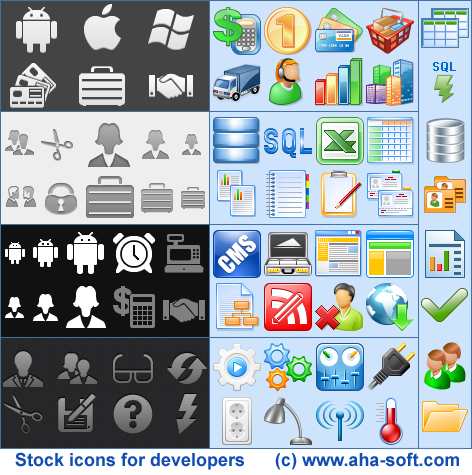
Tired of the Boring Toolbars Icons? Liven up this word workplace with attractive set of the colored Toolbar icons. Complete collection generally comes with three full color toolbars that is filled with the icons. It includes complete set of the toolbars -- colored equivalent for standard command or function. Make use of them to liven up the templates, presentations, and other Word documents. Improve the productivity as well as save some time by very easily spotting the specific command, function ir macro, on a toolbar. The sample icons that were included with download FREE. Try that now! Icons composing the set are designed exclusively in 32Pixels for the application's toolbars or web sites buttons and links, and whatever you can find the use for them. The pack also includes 39 icons in TIFF, PNG, ICNS, and ICO formats, Mac or Windows compatible, the 32x32 dimensions only. Designing for iPhone 5 Retina Display - Make Every Operation Easier!Now day's communication is become much easier and smoother through latest iPhone designs that make every operation smoother and faster due to easy accessibility icons designs. In case of Designing for iphone4 retina display, you will find three types of icons sizes a 29px icon for search results, a 57px icon for the home screen, and App Store big 512px icon. In this regard, you can also create universal App for different iphone models with 11 different icons designs both in 57x57 and 58x58 versions. In case of application icons the iPhone 5 is required 114x114, older iPhones requires 57x57 and iPad requires 72x72. Another features likes the setting icons and spotlight search result icons, you will find 58x58 icons for iphone 4, 50x50 for Spotlight results for iPad, and 29x29 icons sizes settings for iPad and older iPhones. At the same way, you will find different sizes o document of icons like the 320x320 for ipad, 64x64 for ipad, and 44x58 for iphone 4 as well as 22x29 for older iPhones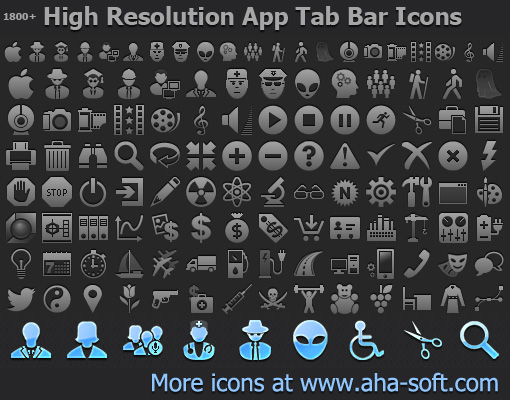
The fluid layouts work while change in the density is minor, however are not any help with iOS non-Retina to the Retina display transition. Image demonstrates what will happen if the iPhone app was padded for catering for higher resolution display of iPhone 5. The taps and buttons areas will be of same size in the pixels, however half its physical size because of higher pixel density, and making things much harder to read as well as to tap. Unluckily, making use of the vector based images generally tends being resource hungry also lacks the pixel level control. Increase in the resources might not be the issue for the desktop OS, however it is the considerable problem for the mobile OS. | ||||
|
Icon Software | Graphic Software | Icons Downloads | Order Icons | Windows Icon Sets | Support
Privacy Policy | Terms of Use | Refund Policy Copyright © 2000-2022 Aha-Soft. All rights reserved. |

|

 Android Icon Pack
 Get stock icons now!


